
 S10
S10 S10 Docking Version
 S10 Dual Screen
 S11
S11 S680
S680 T3A
T3A T3P
T3P T3P Countertop
 T3+ 2G/4G
 T8
T8 T5
T5 M5
M5 T9
T9 P5 Dynamic Code
 P5 Static Code
 P3
P3 Q31
Q31 P8
P8 P7
P7 V868
V868 V878
V878Hey there! As an Android Mobile Keypad POS supplier, I often get asked a bunch of questions about our products, especially whether an Android Mobile Keypad POS can be used for a pharmacy. Well, let's dive right into this topic and figure it out together.
First off, what exactly is an Android Mobile Keypad POS? An Android Mobile Keypad POS isn't just any ordinary point - of - sale system. It's a powerful tool that combines the versatility of Android operating systems with the convenience of a physical keypad. You can check it out in more detail here: Android Mobile Keypad POS.
Now, let's talk about pharmacies. Pharmacies have a unique set of requirements. They need to manage inventory effectively, keep accurate patient records, process prescriptions, and handle sales transactions smoothly. So, can an Android Mobile Keypad POS meet these needs?
Inventory Management
One of the most crucial aspects for a pharmacy is inventory management. Pharmacies deal with a wide range of products from over - the - counter drugs to prescriptions. You need to know exactly what you have in stock, when it's due for restocking, and which products are selling fast.

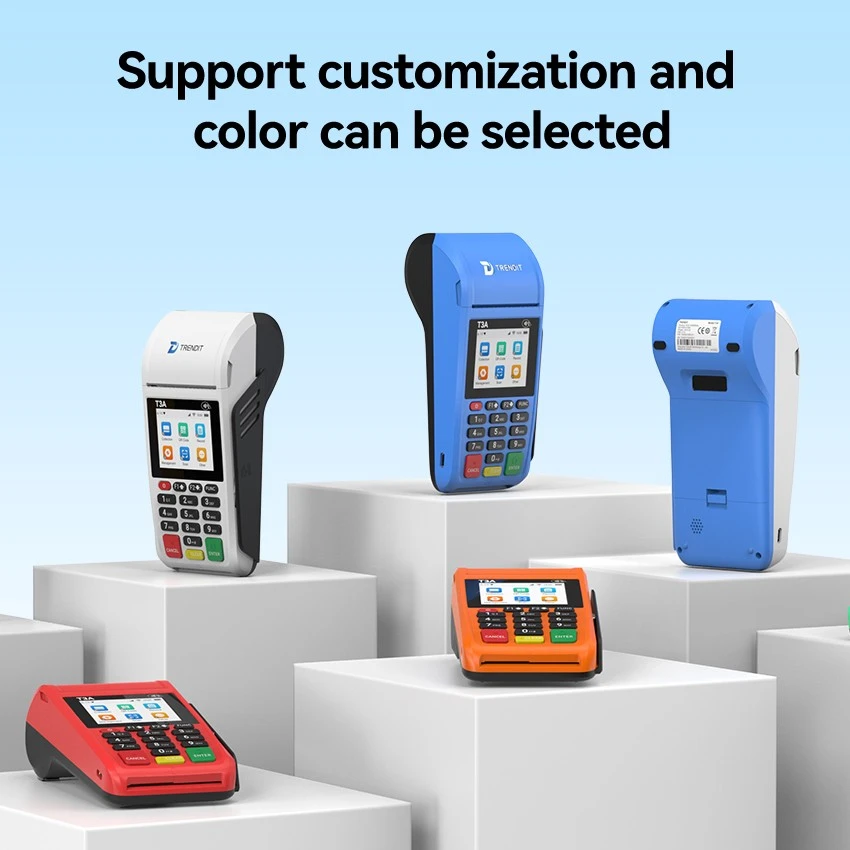
An Android Mobile Keypad POS can be a game - changer here. With its robust software, you can easily scan barcodes using the integrated barcode scanner (which is often a part of these devices). You can then input the product details into the system through the keypad. This helps in keeping accurate inventory records in real - time.
Say, for example, when a customer purchases a certain medication, you can quickly enter the quantity sold through the keypad, and the system will automatically update the inventory levels. This way, you avoid situations where you run out of essential drugs or over - order products that don't sell well.
Patient Records
Patient records are another vital part of pharmacy operations. You need to keep track of the prescriptions patients have received, their medical histories (when relevant), and any allergies. An Android Mobile Keypad POS can be set up to store this information securely.
With the keypad, pharmacists can easily enter patient details such as name, contact information, and prescription details. The touch - screen (which is also a common feature of Android Mobile POS systems) allows for easy access and retrieval of this information. You can check out similar Android - based systems here: Android Mobile POS.
When a patient comes in for a refill, the pharmacist can quickly pull up their record, verify the prescription, and process the sale. This not only speeds up the service but also helps in maintaining patient safety by ensuring they get the right medications.
Prescription Processing
Prescription processing in a pharmacy is a highly regulated and complex process. An Android Mobile Keypad POS can simplify this. Many pharmacy management software can be installed on these POS devices.
Using the keypad, pharmacists can enter prescription details such as the doctor's name, the drug prescribed, dosage, and the number of refills. The system can then cross - reference this information with the patient's records and the inventory. This ensures that the prescription is legitimate and that the pharmacy has the medication in stock.
In addition, these systems can integrate with insurance companies' databases. With the help of the Android OS, the POS can send claims electronically, speeding up the reimbursement process. This is not only beneficial for the pharmacy's cash flow but also for the patient, who doesn't have to deal with long - drawn - out paperwork.
Sales Transactions
Just like any other business, pharmacies need to process sales transactions efficiently. An Android Mobile Keypad POS supports multiple payment methods. Whether it's cash, credit cards, debit cards, or mobile payments like Apple Pay or Google Pay, these systems can handle them all.
The keypad makes it easy to enter the sale amount and apply any discounts or promotions. The touch - screen interface allows for quick and easy selection of payment options. After the transaction is complete, the POS can generate a detailed receipt, which includes information about the products purchased, the price, any discounts, and the total amount paid.
Ease of Use and Mobility
One of the great things about an Android Mobile Keypad POS is its ease of use. Most pharmacy staff can quickly learn how to operate these devices, thanks to the familiar Android interface. The physical keypad provides a tactile experience, which can be more comfortable and accurate than using just a touch - screen for data entry.
Moreover, these devices are mobile. Pharmacists can move around the pharmacy while using the POS, helping customers on the spot, checking inventory in different areas, or processing sales at different locations within the store. This mobility can significantly improve customer service and overall efficiency.
Security
Security is a top concern in pharmacies, especially when dealing with patient information and financial transactions. Android Mobile Keypad POS systems come with built - in security features. They use encryption technology to protect data during transmission and storage.
The Android operating system also has regular security updates, which help in keeping the device and the data it stores safe from hackers and malware. Additionally, many POS systems have user - authentication features, such as PIN codes or fingerprint scanners, to ensure that only authorized personnel can access the system.
Cost - Effectiveness
For small and medium - sized pharmacies, cost is always a factor. Android Mobile Keypad POS systems are generally more affordable than traditional, large - scale POS systems. They don't require a lot of expensive hardware installations, and the software can often be customized to fit the specific needs of the pharmacy.
In addition, since these devices run on Android, there are a wide variety of apps available that can be used to enhance the functionality of the POS. Some of these apps are even free or available at a low cost, which can further reduce the overall cost of ownership.
Drawbacks
Of course, no system is perfect. One potential drawback of using an Android Mobile Keypad POS in a pharmacy is the need for a stable internet connection. Since many of the features, such as inventory updates, insurance claims processing, and accessing patient records from a central database, rely on an internet connection, any downtime can disrupt operations.
Another concern could be the compatibility of the POS system with existing pharmacy management software. However, most modern Android Mobile Keypad POS systems are designed to be flexible and can integrate with a wide range of software applications.
In conclusion, an Android Mobile Keypad POS can definitely be used for a pharmacy. It offers a wide range of benefits in terms of inventory management, patient record - keeping, prescription processing, sales transactions, ease of use, mobility, security, and cost - effectiveness.
If you're a pharmacy owner or manager looking to upgrade your POS system, I'd highly recommend considering an Android Mobile Keypad POS. It could revolutionize the way you run your pharmacy and improve the overall customer experience.
If you're interested in learning more about our Android Mobile Keypad POS products or want to discuss how they can be customized for your pharmacy, don't hesitate to reach out. We're here to help you make the best decision for your business.
References
- General knowledge on pharmacy operations and POS systems
- Industry reports on the use of mobile POS in retail businesses, including pharmacies.